

While scouring the internet in search of an ESP32 amplifier capable of running ESPHome firmware, I discovered the Louder ESP32. This neat unit comprises an external I2S DAC, perfectly able to drive full-sized speakers, and a PSRAM chip. This pairing furnishes the compact ESP32 module with the needed memory (provided by PSRAM) and the capacity to develop high-quality Hi-Fi products.

Table of Contents
Squeezelite-ESP32
The Louder ESP32 depends on Squeezelite-ESP32, a multimedia software suite that was initially a renderer (or player) for LMS (Logitech Media Server). Furthermore, it supports Spotify’s over-the-air player via SpotifyConnect, an AirPlay controller compatible with iPhone, iTunes, and so on. It even offers multiroom synchronization capabilities, albeit limited to AirPlay 1. Of course, it also support the traditional Bluetooth connectivity, making it compatible with iPhone and Android devices.
Eager to gauge the board’s performance using Squeezelite-ESP32, I flashed this firmware and set the appropriate DAC Options in the NVS Editor section. In no time at all, I had it up and running, and I was immediately impressed by its power and audio quality.
ESPHome
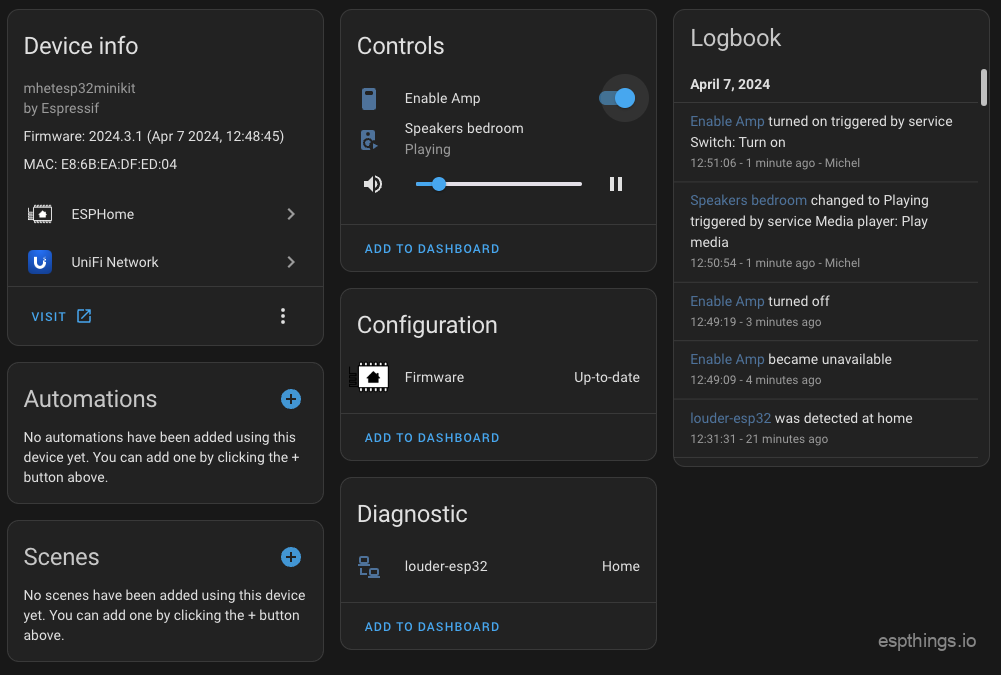
However fantastic that may sound, since all my ESP32 devices run ESPHome, I didn’t want this board to be the odd one out. Thus, with some kind guidance from the boards developer (Andriy) for the information on how to initialize and activate the DAC, a touch of ChatGPT magic, and a dose of my own creativity, I successfully got the amplifier to work on ESPHome.
Testing
The Louder ESP32 comes with an external 4MB of usable PSRAM. It’s AMP provides 2x 4Ω/15W at a voltage input of 12V or alternatively, 2x 8Ω/23W at a voltage input of 22V. This combination of high power output and substantial PSRAM memory space means that the Louder ESP32 is uniquely positioned to handle audio applications with exceptional ease and proficiency. Throughout my testing, I detected no discernible noise, crackling, or any other audio distortions. My tests were specifically conducted using the Klipsch R-50M speaker set and a 19v laptop power supply. The audio quality turned out to be nothing short of astounding! Under a full load (100% volume), the board drew an average power of less than 20 watts. In standby mode, it maintained a low average power draw of just 1.1 watts.
As I only had a single unit available for testing, I was unable to evaluate the audio synchronization capabilities on both Squeezelite and ESPHome (using Music Assistant). This is an area I plan to revisit in a future article.
Where to get
This board is sadly sold out, there is a new product (Louder Esparagus) coming soon…. Check: https://www.crowdsupply.com/sonocotta/esparagus-media-center
Available for just USD 15.00 (without the ESP32 MIni D1), USD 21.00 including the ESP32 or USD 26.00 including ESP32 and the W5500 ethernet module on Tindie, this board offers a truly astounding price-quality ratio. I purchased this with my own money, and I can readily advocate to anyone looking for a small yet powerful Class-D audio amplifier to consider it as well!

Please subscribe to our YouTube channel and hit the bell, comment etc.to support us!
ESPHome config
louderesp32.h
(put this file in your /config/esphome/ folder)
//###########################################################################
//## ESPHome custom component for the Louder ESP32                         ##
//## Get it here: https://www.tindie.com/products/sonocotta/louder-esp32/  ##
//## Check the blog article on https://www.ingeniousmakers.com/index.php/2024/04/07/louder-esp32-a-hi-fi-class-d-audio-amplifier-running-esphome/       ##
//###########################################################################
#include "esphome.h"
#include <Wire.h>

#define DEVICE_CTRL_2_REGISTER 0x03
#define PWDN_PIN 33
#define I2C_ADDR 0x2D

class TAS5805 : public Component, public Switch  {
  public:
    void setup() override {
      pinMode(PWDN_PIN, OUTPUT);
      digitalWrite(PWDN_PIN, LOW);
      delay(200);
      digitalWrite(PWDN_PIN, HIGH);

      Wire.begin();
      Wire.beginTransmission(I2C_ADDR);
      if (Wire.endTransmission() != 0) {
        ESP_LOGE("TAS5805", "TAS5805 not found at address 0x2D");
        return;
      }
      Wire.beginTransmission(I2C_ADDR);
      Wire.write(DEVICE_CTRL_2_REGISTER);
      Wire.write(0x02);
      Wire.endTransmission();
      delay(50);
      Wire.beginTransmission(I2C_ADDR);
      Wire.write(DEVICE_CTRL_2_REGISTER);
      Wire.write(0x03);
      Wire.endTransmission();

      ESP_LOGI("TAS5805", "TAS5805 initialized.");
    }

    void write_state(bool state) override {
      uint8_t value = state ? 0x03 : 0x00;
      Wire.beginTransmission(I2C_ADDR);
      Wire.write(DEVICE_CTRL_2_REGISTER);
      Wire.write(value);
      Wire.endTransmission();
      publish_state(state);
    }
};
Esphome yaml
#############################################################################
### ESPHome config for the Louder ESP32 Hi-Fi Class-D audio amplifier     ###
### Check out our blog article at: https://www.ingeniousmakers.com/index.php/2024/04/07/louder-esp32-a-hi-fi-class-d-audio-amplifier-running-esphome/  ###
#############################################################################
substitutions:
  devicename: "louder-esp32"
  long_devicename: "Speakers bedroom"
  pcb_version: "12/23 REV E"

esphome:
  name: "${devicename}"
  name_add_mac_suffix: false
  comment: "${long_devicename} Louder ESP32 ${pcb_version}"
  includes:
    - louderesp32.h
  platformio_options:
    lib_deps: "Wire"
  on_boot:
    priority: 800
    then:
    ## Set a volume limit just to be safe...
    - media_player.volume_set:
        id: louderesp32
        volume: 10%

esp32:
  board: mhetesp32minikit

wifi:
  ssid: !secret esphome_wifi_ssid
  password: !secret esphome_wifi_password
  ap:
    ssid: "$devicename Fallback Hotspot"
    password: !secret esphome_ap_password

captive_portal:

### Optional if you want ethernet (then remove all wifi config) ###
#ethernet:
#  type: W5500
#  clk_pin: GPIO18
#  mosi_pin: GPIO23
#  miso_pin: GPIO19
#  cs_pin: GPIO05
#  interrupt_pin: GPIO35
#  reset_pin: GPIO14

logger:
  level: DEBUG

api:
  encryption:
    key: !secret esphome_api_key

ota:
  password: !secret esphome_ota_password

psram:
  mode: octal
  speed: 80MHz

switch:
  - platform: custom
    lambda: |-
      auto tas5805 = new TAS5805();
      App.register_component(tas5805);
      return {tas5805};
    switches:
      name: "Enable Amp"

i2c:
  sda: GPIO21
  scl: GPIO27
  scan: True
  id: i2c_component

i2s_audio:
  i2s_lrclk_pin: GPIO25
  i2s_bclk_pin: GPIO26

media_player:
  - platform: i2s_audio
    name: $long_devicename
    id: louderesp32
    dac_type: external
    i2s_dout_pin: GPIO22
    mode: stereo
Links
ESPhome config: https://github.com/HA-TB303/ESPHome-Louder-ESP32
ESPHome: https://esphome.io
ESPHome feature request: https://github.com/esphome/feature-requests/issues/2666
Louder ESP32: https://www.tindie.com/products/sonocotta/louder-esp32
Squeezelite-ESP32: https://sle118.github.io/squeezelite-esp32-installer
Please subscribe to our newsletter!
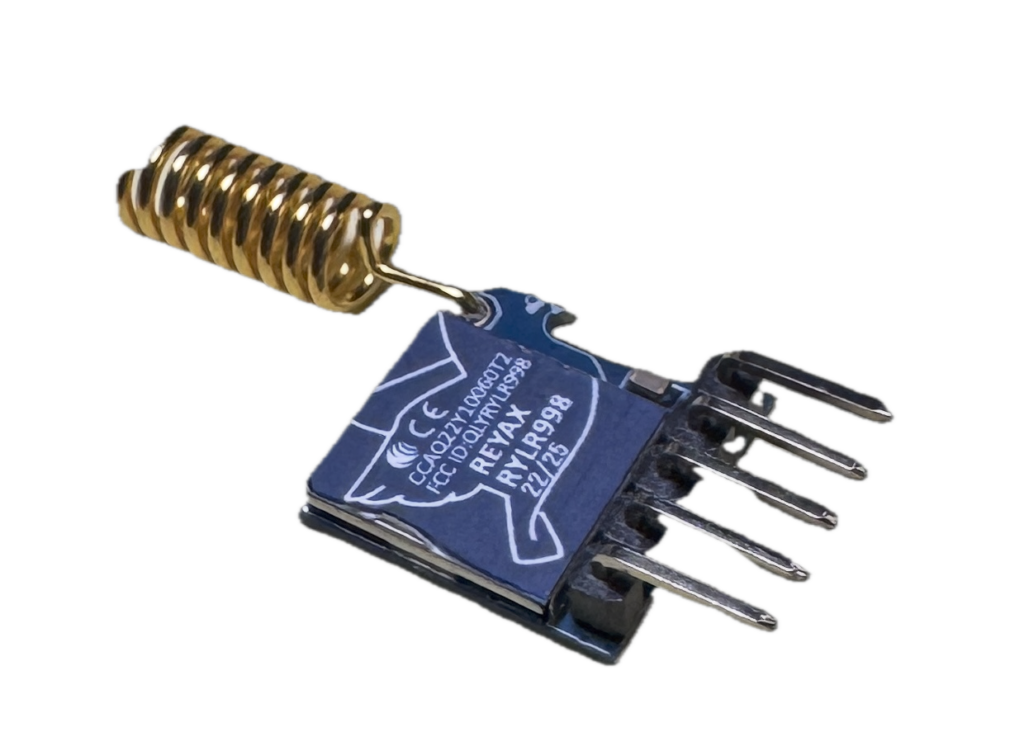
[…] evaluating Sonocotta’s ‘Louder ESP32‘, the company kindly sent us their ‘Louder Esparagus’ to check out. This gadget […]
Any chance you could help me get this esphome integration working with the “Loud” version of the device? Thanks